¶ Before starting
The goal here is to fix the Microsoft Azure AD Sync service that stays stuck in "Starting" after rebooting the server where the service is installed (mostly after auto-update I think).

¶ Checking the error
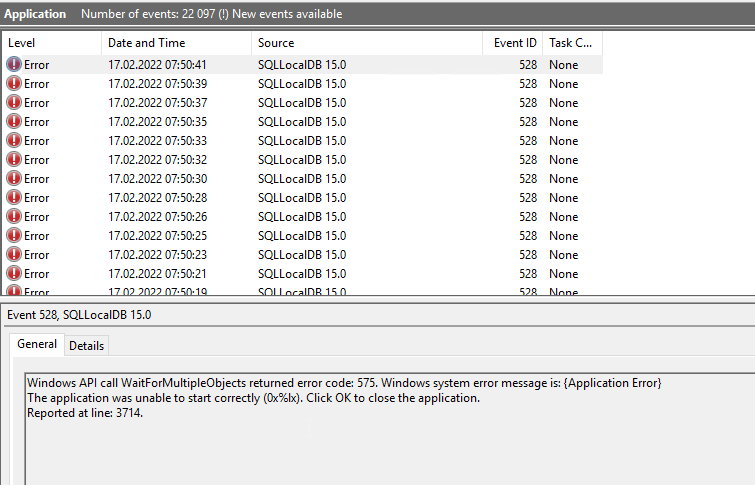
Check that you have the following message in your event viewer:
Windows API call WaitForMultipleObjects returned error code: 575. Windows system error message is: {Application Error}
The application was unable to start correctly (0x%lx). Click OK to close the application.
¶ Fixing the error
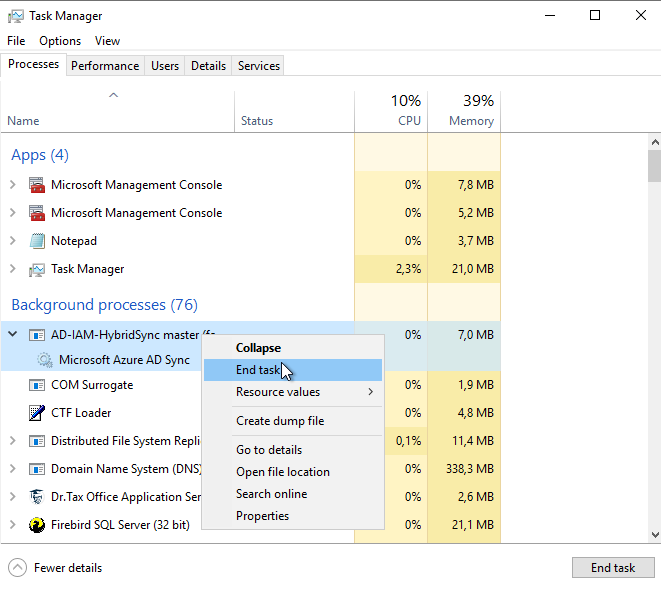
If your service is blocked is "starting" kill the service first by killing the process "AD-IAM-HybridSync master":
Now you need to copy to following files:
C:\Program Files\Microsoft SQL Server\150\LocalDB\Binn\Templates\model.mdf
C:\Program Files\Microsoft SQL Server\150\LocalDB\Binn\Templates\modellog.ldf
Now, copy these two files to the following folder if you use a dedicated service account:
C:\Users\ADSyncxxxxx$\AppData\Local\Microsoft\Microsoft SQL Server Local DB\Instances\ADSync2019\
Or this folder:
C:\Windows\ServiceProfiles\ADSync\AppData\Local\Microsoft\Microsoft SQL Server Local DB\Instances\ADSync2019\
When the files are overwritten, just restart the service:

¶ Source
Thanks to PatD442: https://www.reddit.com/r/sysadmin/comments/rxkd7m/has_your_azure_ad_connect_been_unable_to_start/